
Testing Your Strategy
How to know if your business idea actually works before investing time and money.
Watch the video tutorial for a step-by-step walkthrough of the 7-day testing framework.
The Core Insight
Most people think you need a fully registered business, a website, inventory, and business cards before you can know if an idea works. That is backwards. You do not need a fully running business to know if a business is right for you. You need a test.
The 7-Day Testing Framework
| Day | Action | What to Measure |
|---|---|---|
| Day 1 | Set up WhatsApp Business (already done from Day 4) | Account is ready |
| Day 2 | Create 5 simple messages (tips, advice, offers) | Messages feel natural |
| Day 3 | Gather 20 contacts (friends, family, local groups) | Contacts are willing to receive messages |
| Day 4-6 | Send one message per day to your list | Who replies? Who asks questions? |
| Day 7 | Review responses and decide | Keep going, pivot, or stop |
7-Day Testing Checklist
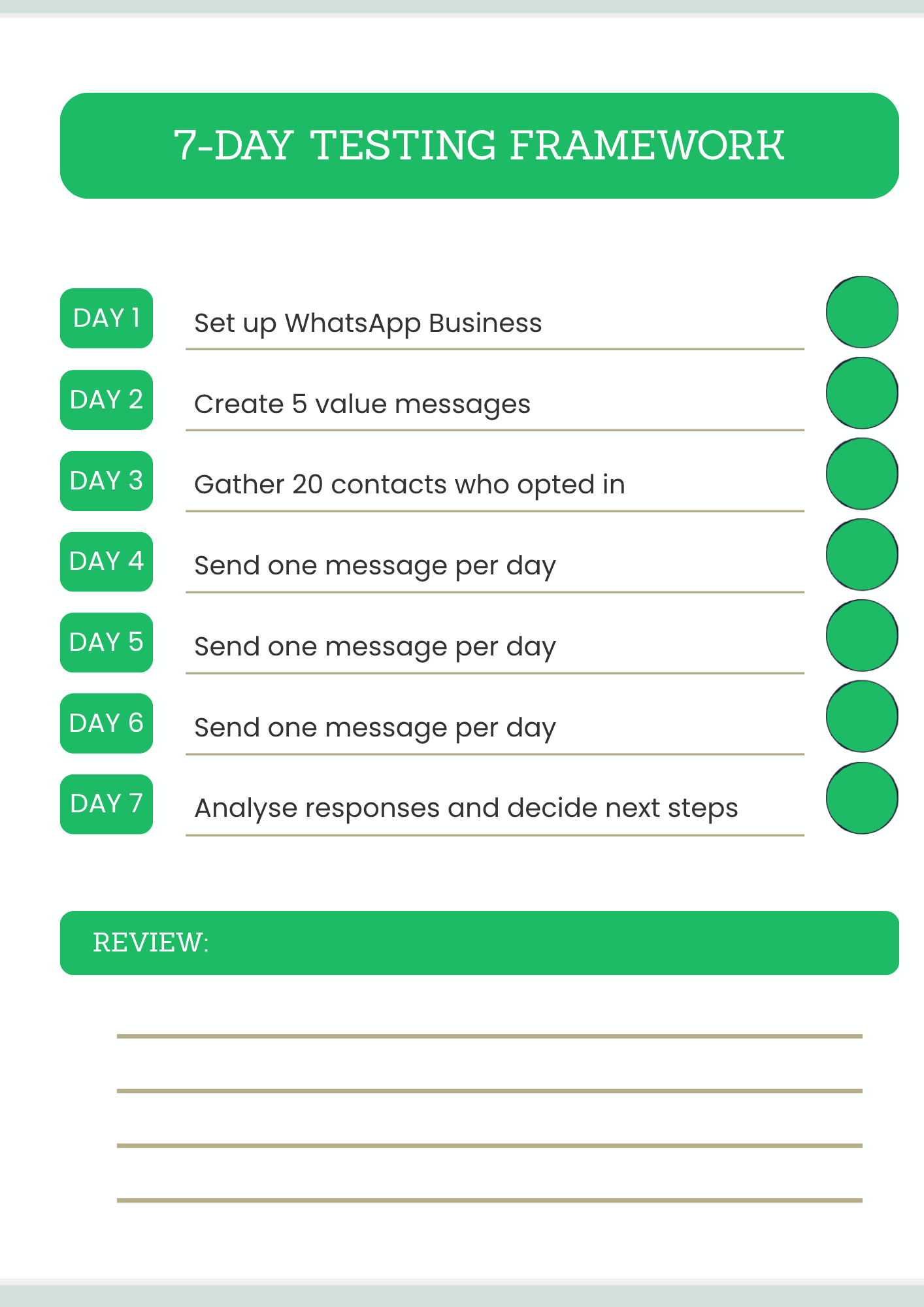
Click to enlarge - Download and print this checklist
Step 1: Create Messages That Provide Value (Not Just Sales)
The worst message is "Buy my stuff." Nobody replies to that. The best message is something useful. Something free. Something that makes the person think, "This person knows what they are talking about."
| Business Type | Message That Provides Value | Why It Works |
|---|---|---|
| Mechanic | "Most car breakdowns happen because of low coolant. Check yours every 2 weeks. Here is how." | Gives free advice. Builds trust. |
| Tour Operator | "Top 3 hidden beaches in Cape Town most tourists never see. Number 1 will surprise you." | Creates curiosity. Positions as expert. |
| Office Supplier | "Did you know changing your printer settings to draft mode saves 30% on ink? Here is how to do it." | Solves a real problem. Saves money. |
| Loan Officer | "3 signs you are ready for a business loan (and 2 signs you are not)." | Educates. Filters unqualified leads. |
| Photographer | "The one setting on your phone camera that instantly improves every photo." | Provides immediate value. Shows expertise. |
| Bakery | "Why bread goes stale faster in the fridge (and where to store it instead)." | Interesting. Shareable. Builds connection. |
| Cleaning Service | "The 5 things you should clean every week that most people forget." | Helpful. Positions as professional. |
The formula: Give value first. Sell later.
Good vs Bad Messages
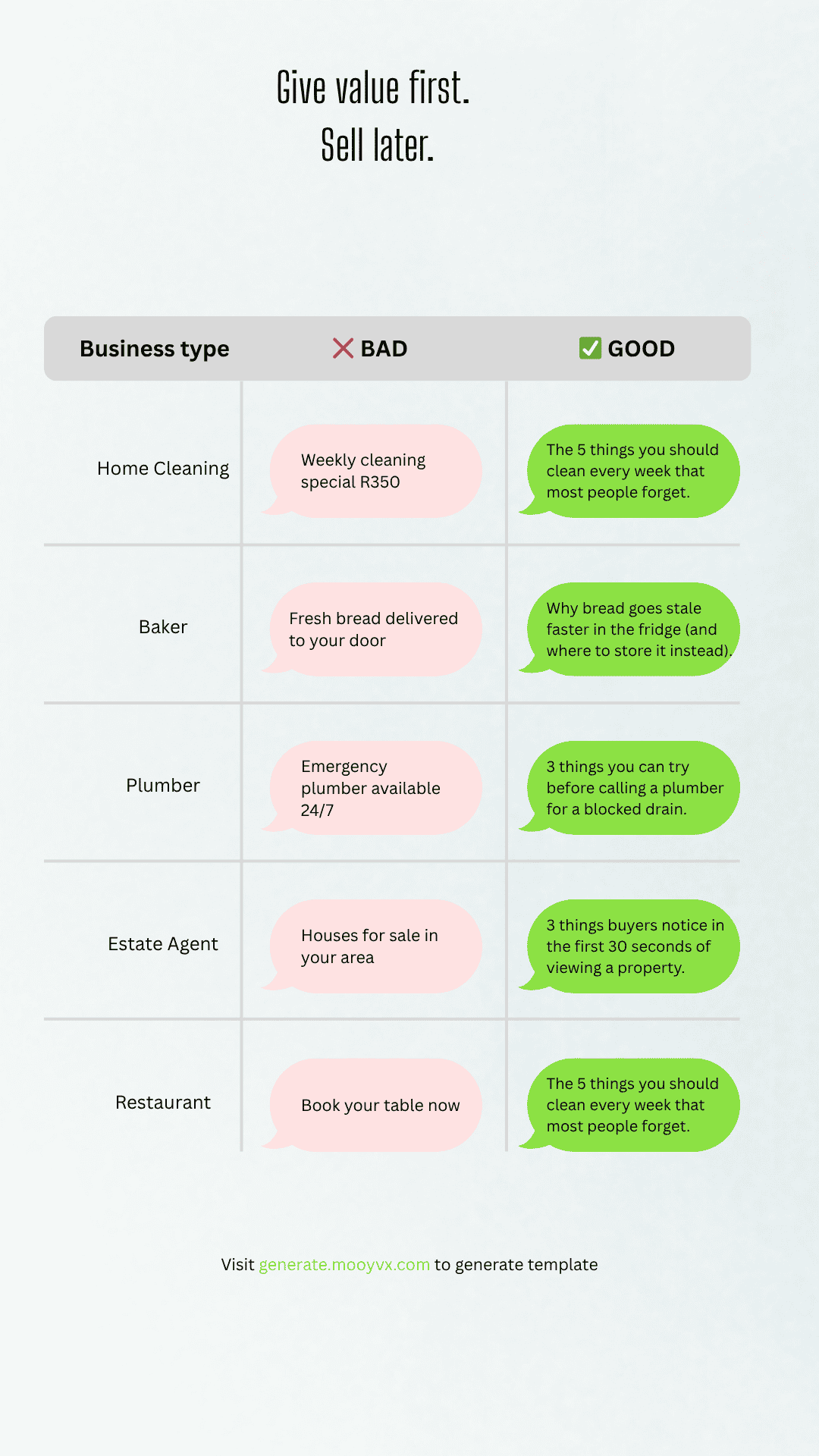
Click to enlarge - Compare effective vs ineffective messages
Step 2: Gather Contacts Responsibly
| Method | How to Do It | Is It Responsible? |
|---|---|---|
| Ask permission | "I am starting a [business type] and will be sharing free tips. Can I add you to my WhatsApp list?" | ✅ Yes. This is consent. |
| Local Facebook groups | Offer something free (guide, tip sheet) in exchange for WhatsApp number | ✅ Yes. They opt in. |
| Existing customers | Ask past clients if they want to receive updates | ✅ Yes. They already know you. |
| Community WhatsApp groups | Introduce yourself and ask if anyone is interested | ⚠️ Ask group admin first. |
| Buying lists | Purchasing phone numbers from unknown sources | ❌ Never. Against WhatsApp terms. Illegal. |
Step 3: Send Your First Broadcast
| Step | Action |
|---|---|
| 1 | Go to WhatsApp Business > Chats > More options (three dots) > New broadcast |
| 2 | Select your contacts (only people who agreed to receive messages) |
| 3 | Type your message (use the templates from mooyvx-ai-tools-dev.webbnicwe.workers.dev) |
| 4 | Send |
⚠️ Broadcast lists have a 256 contact limit on the free app. For testing, 20-30 is perfect.
Step 4: Measure the Response
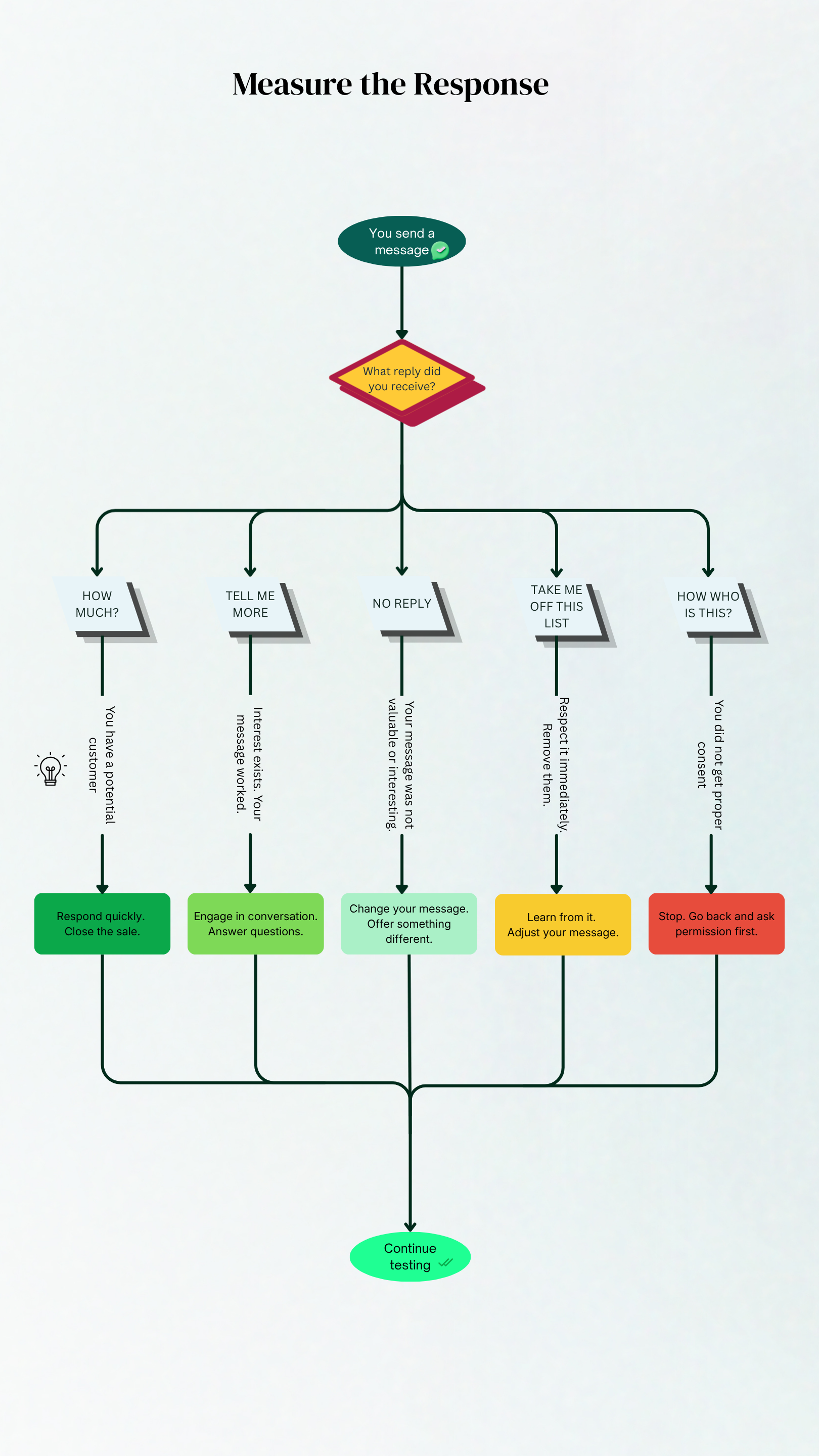
Click to enlarge - Decision tree for customer responses
| Response | What It Means | What to Do Next |
|---|---|---|
| No replies | Your message was not valuable or interesting | Change your message. Offer something different. |
| "Who is this?" | You did not get proper consent | Stop. Go back and ask permission first. |
| "Tell me more" | Interest exists. Your message worked. | Engage in conversation. Answer questions. |
| "How much?" | You have a potential customer | Respond quickly. Close the sale. |
| "Take me off" | Not interested | Remove them. Learn from it. |
The goal of testing is not to make a sale. The goal is to learn. One "tell me more" is a successful test.
Step 5: Decide What to Do Next
| What Happened | What to Do Next |
|---|---|
| Got replies and interest | Keep going. Double down on what worked. |
| Got questions but no sales | Adjust your offer. Listen to what they asked. |
| Got zero replies | Change your message or change your niche. Pick a different idea from the 100 list. |
| People asked to be removed | Respect it. Learn from it. Improve. |
No test is a failure. Every test teaches you something. The only failure is not testing at all.
Free Resources for This Lesson
WhatsApp Business Template Approval Walkthrough
Learn how to create, submit, and get your message templates approved by Meta. Required for broadcasts and automated messages on the WhatsApp Business API.
WhatsApp Template Walkthrough →Continue Learning
Need Help Getting Seen?
MooyVx helps businesses and creators build visibility through professional photography, social media management, and content strategy. You don't have to do it alone.
📞 Call/WhatsApp: +27 69 876 0713 | 📧 Email: support@mooyvx.com